For the MacFor Your Mac
Stereo Dandifier
The Stereographer's CompanionThe Stereo Photographer's Best Friend
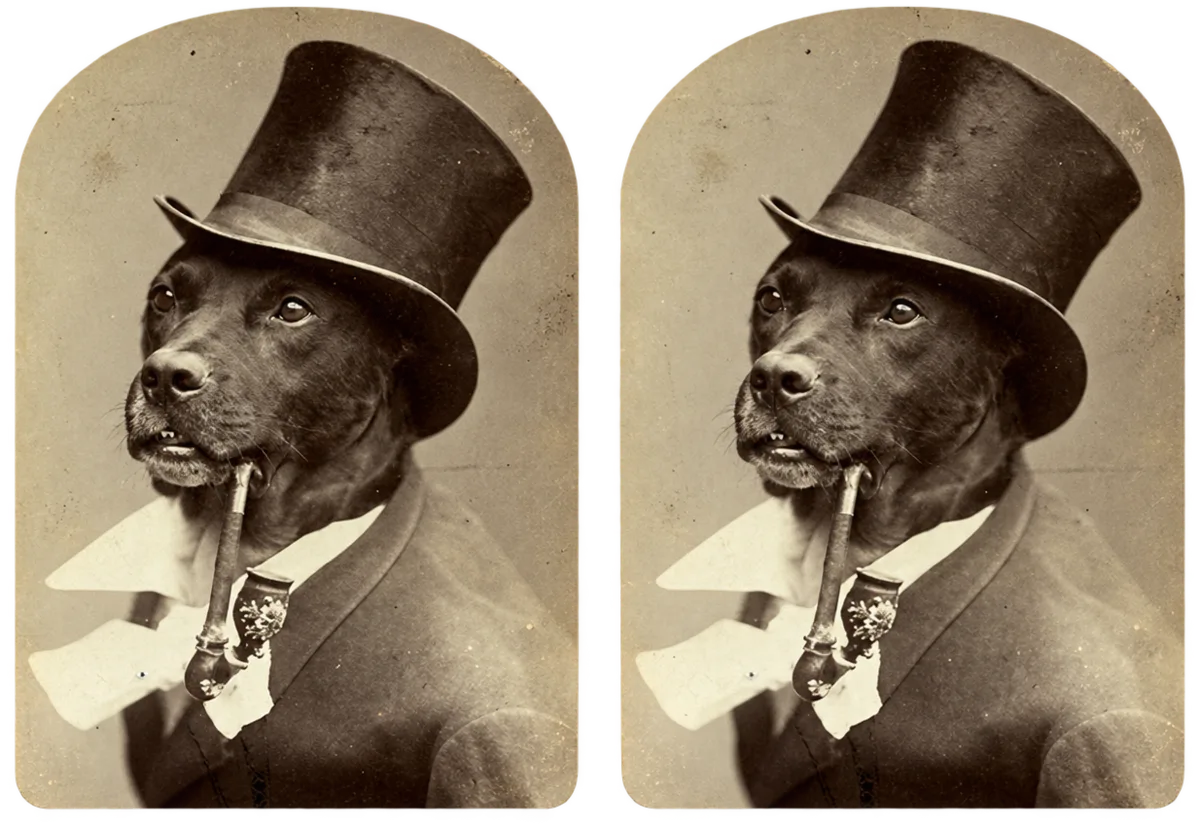
An apparatus for the preparation of stereoscopic photographs, from the camera's own files to the finished picture or stereo card — wherein every pair is aligned, set at its window, matched in colour and laid out, by one workflow and with the least of trouble.
Now you can turn your stereo snapshots into first-class pictures and stereo cards, right on your Mac. Stereo Dandifier lines up every pair, sets the depth just so, matches the colors and lays it all out, from your camera's files to the finished print. It's fun, it's fast, and you'll wonder how you managed without it!
To be had from the Mac App Store.
It requires a Mac with Apple silicon, and macOS 26.5 or later.
Get it on the Mac App Store!
You'll need a Mac with Apple silicon and macOS 26.5 or later.
Its Several DepartmentsWhat It Does
From the CameraStraight from Your Camera
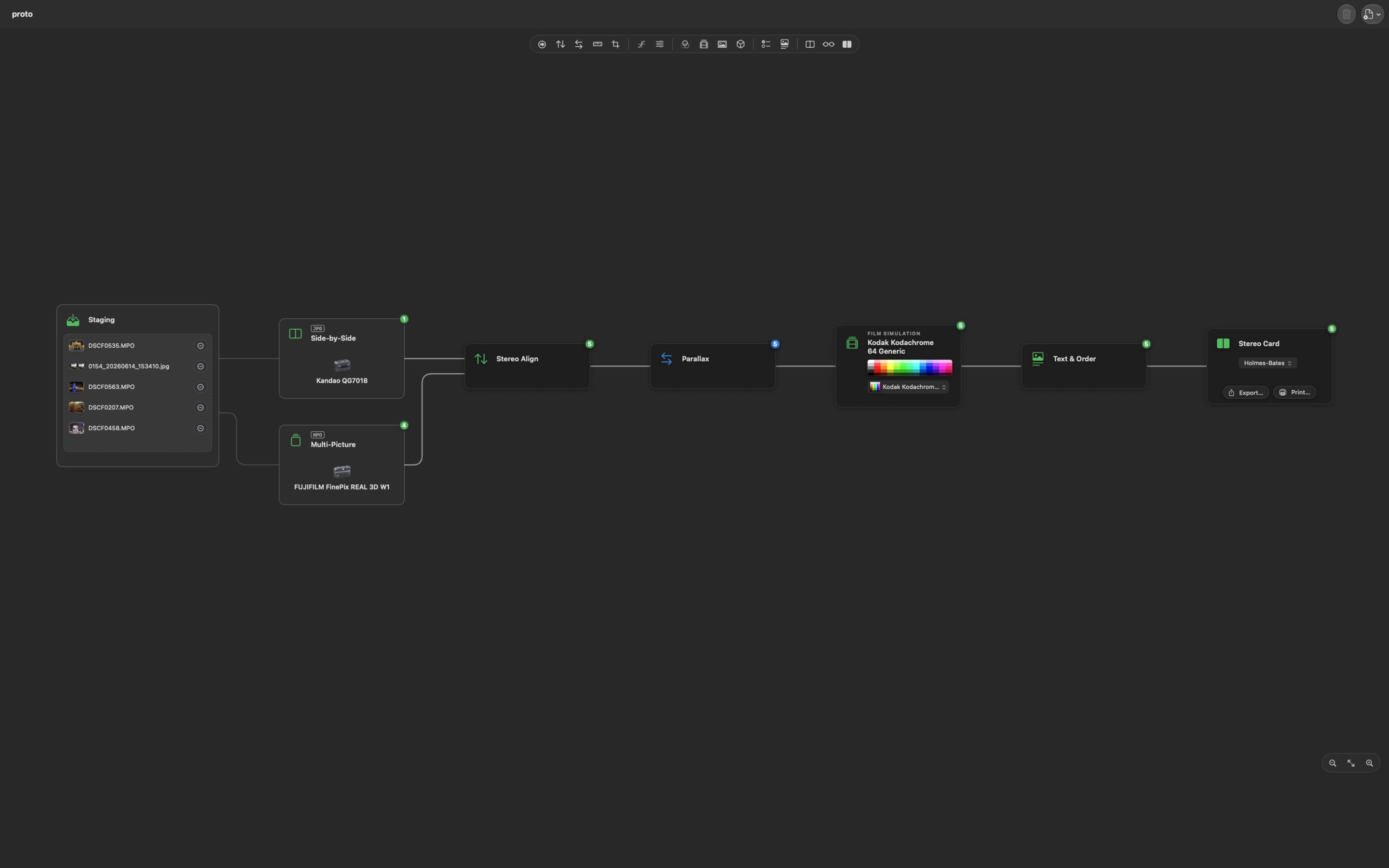
It reads the files of stereo cameras as they come, and recognises each kind without being told:
- Fujifilm FinePix REAL 3D MPO files;
- spatial photographs from iPhone and Apple Vision Pro;
- side-by-side frames from dual-fisheye lenses and the Kandao QooCam EGO;
- twin files from rigs of two cameras;
- and sequences from a single camera moved sideways.
What it cannot pair with certainty it keeps, to be paired by hand. Camera RAW files are developed plainly, by macOS's own engine.
Just drop in your files. It figures out what kind they are all by itself:
- Fujifilm FinePix REAL 3D MPO files,
- spatial photos from your iPhone or Apple Vision Pro,
- side-by-side shots from dual-fisheye lenses and the Kandao QooCam EGO,
- twin files from a two-camera rig,
- and "cha-cha" shots from one camera, stepped sideways.
Anything it can't pair for sure, it holds onto so you can pair it yourself. RAW files? It develops those too, with macOS's own engine.
In the WorkshopFix It Up
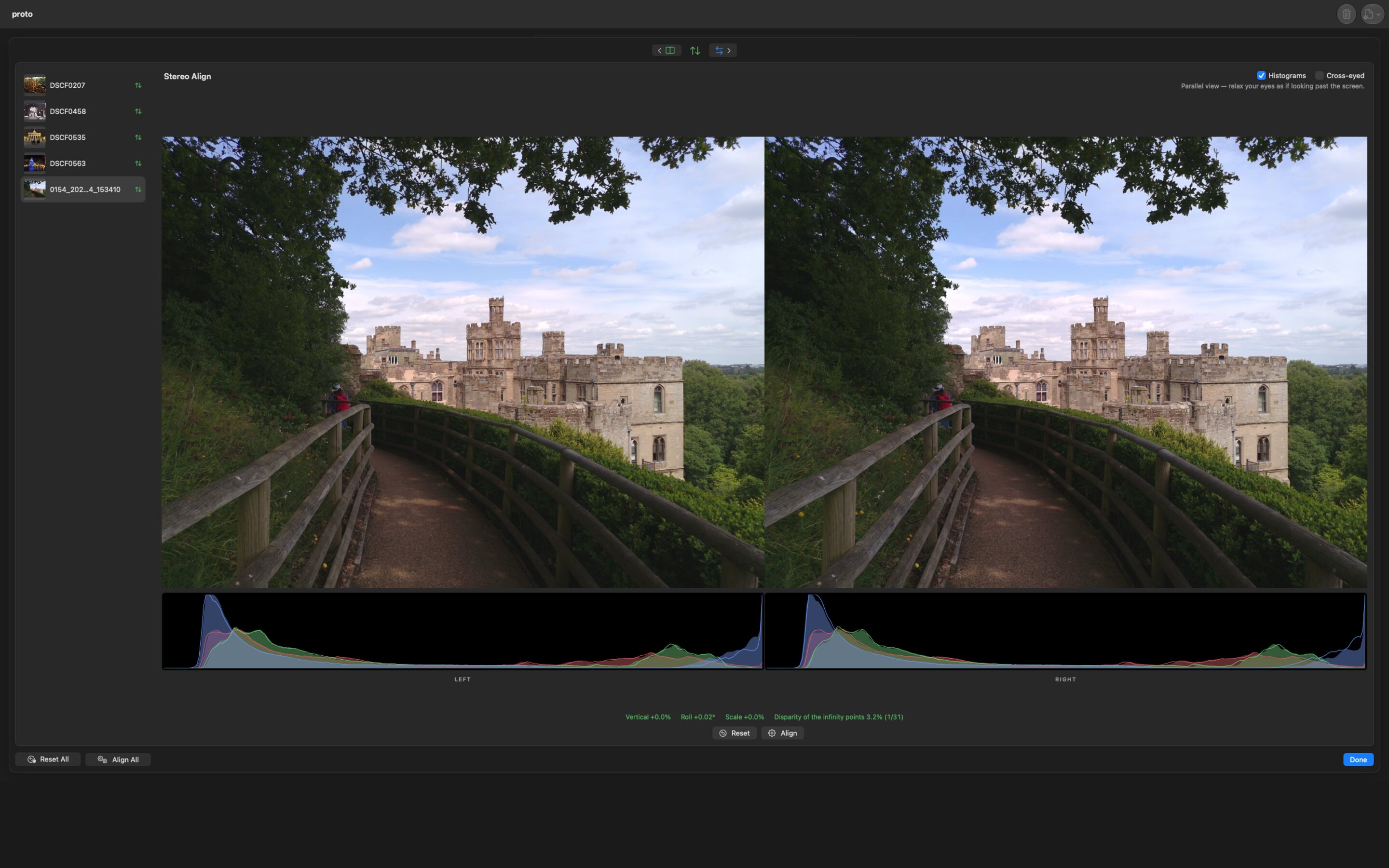
- Stereo Align removes the vertical offset, roll and scale between the eyes, measured from the pair itself, without disturbing its depth.
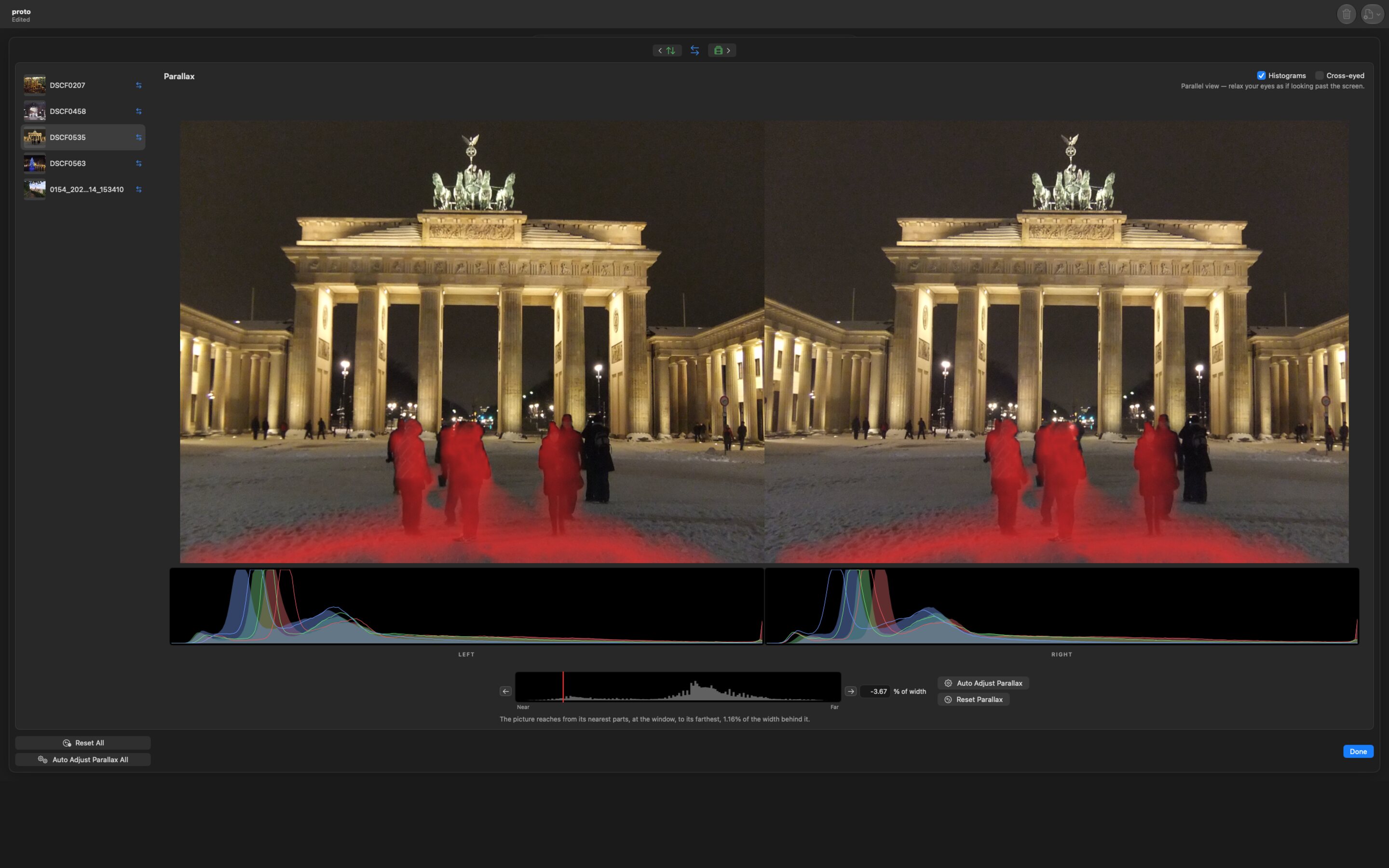
- Parallax sets the stereo window upon a histogram of the pair's depth.
- Defish takes fisheye lenses into a flat projection.
- Level and Crop act upon both eyes alike.
- Stereo Colour Match brings two cameras' exposure and colour into agreement.
- Stereo Align straightens out up-and-down, tilt and size differences between the eyes, measured from the pair itself, and never touches the depth.
- Parallax sets your "window" right where you want it, using a handy depth chart.
- Defish flattens out fisheye shots.
- Level and Crop work on both eyes at once.
- Stereo Colour Match makes two cameras' exposure and color agree.
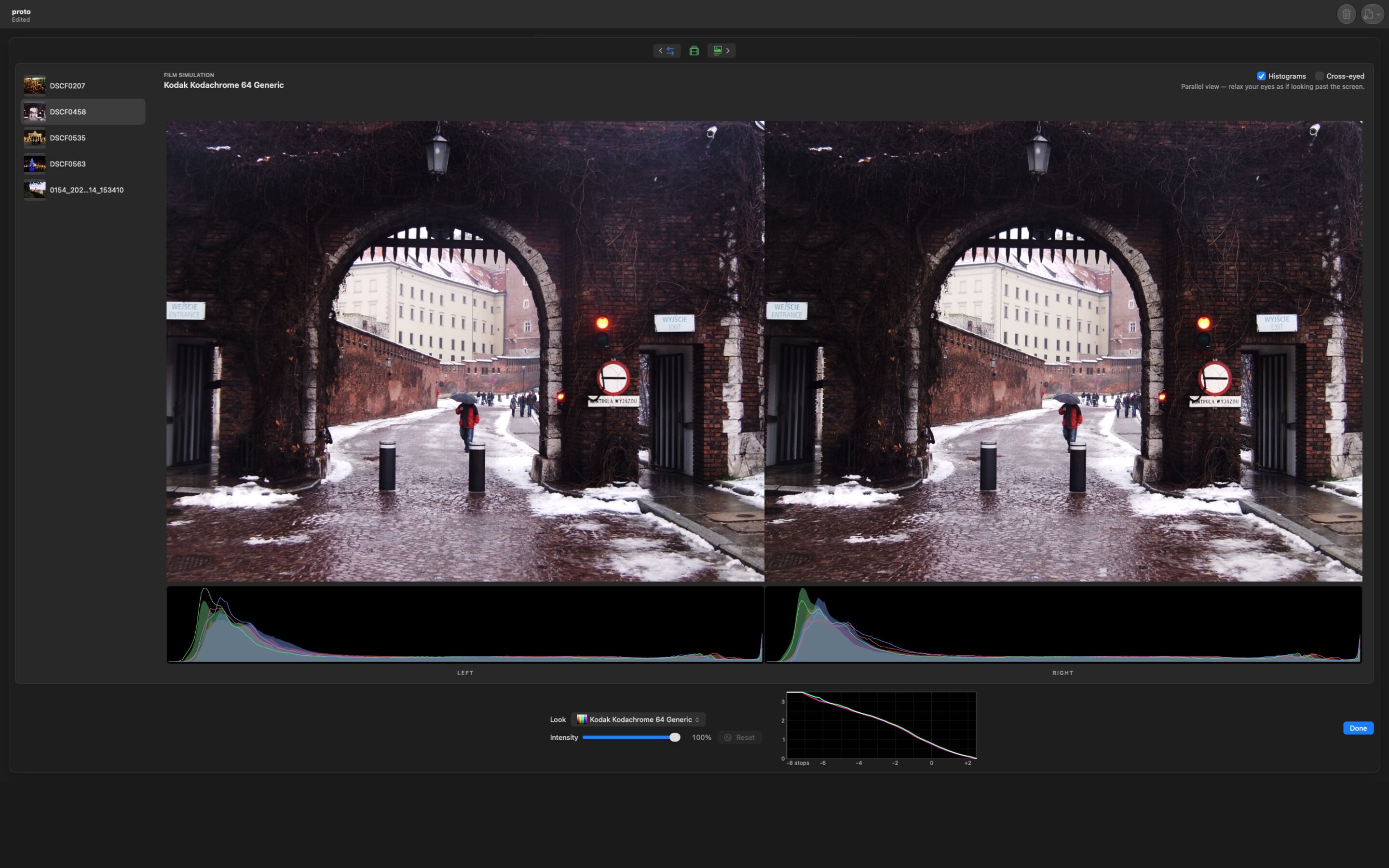
Looks of the PeriodGet the Look
- Kodak Wratten lens filters, simulated from Kodak's published transmission.
- Film stocks of every description, from RawTherapee's celebrated collection.
- Historical printing processes: silver gelatin, the sepias, albumen, cyanotype.
- Look tables of the operator's own.
- Kodak Wratten filters, true to Kodak's own published curves.
- All your favorite film stocks, from RawTherapee's famous collection.
- Old-time prints: silver gelatin, sepia, albumen, cyanotype.
- And your own look tables, too.
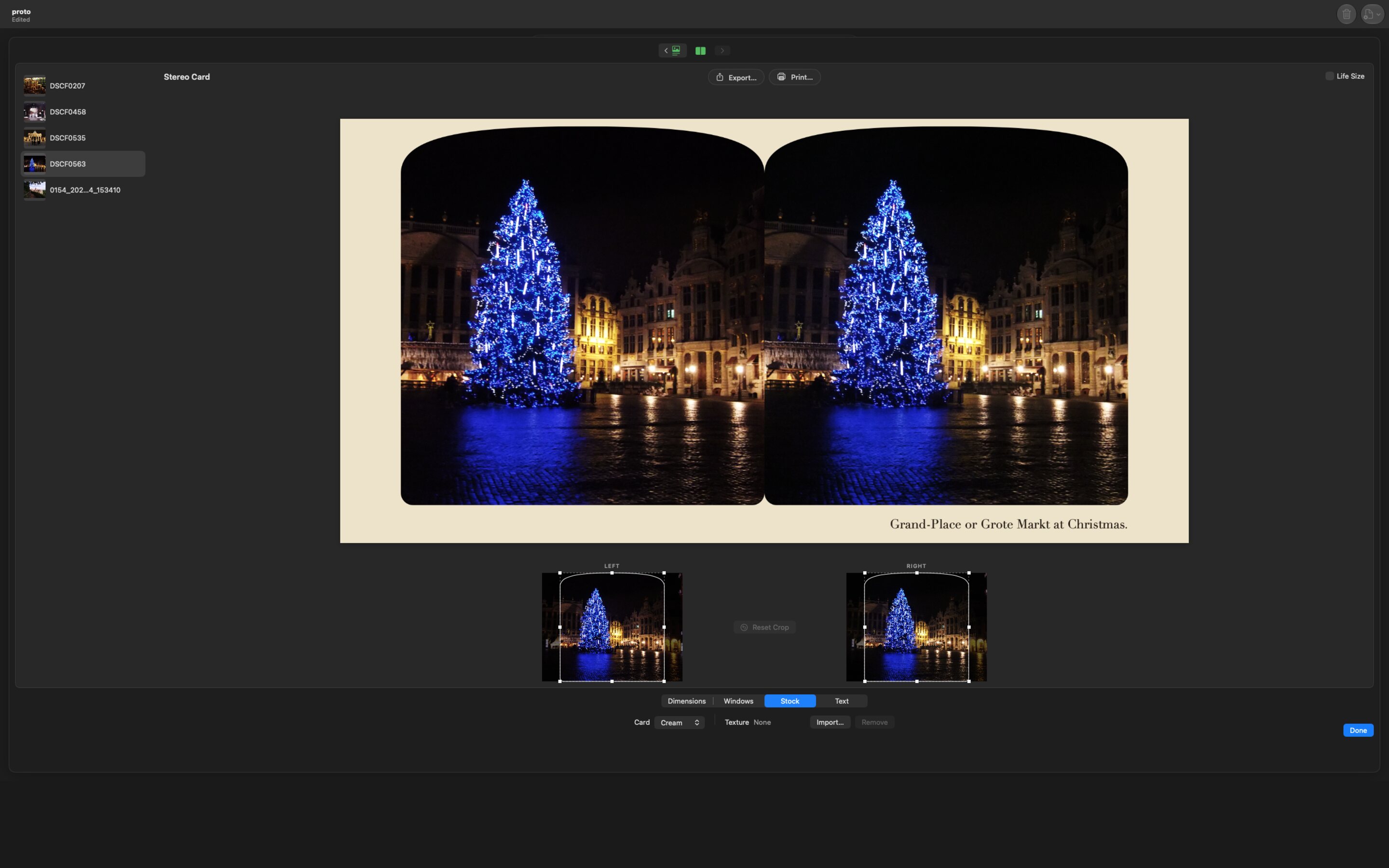
For PresentationShow It Off
- Stereo cards in genuine formats — Holmes-Bates, Thorpe, OWL and others — with period windows, card stocks and captions, shown at life size upon the screen.
- Anaglyphs for red/cyan, green/magenta and amber/blue spectacles, by Dubois's method among others.
- Side-by-side pictures, parallel or cross-eyed, for viewers, headsets and 3D televisions.
- Export as JPEG, HEIC, PNG, TIFF or PDF, or print.
- Real stereo cards — Holmes-Bates, Thorpe, OWL and more — with old-fashioned windows, card colors and captions, shown life-size right on your screen.
- Anaglyphs for red/cyan, green/magenta and amber/blue glasses, including the Dubois method.
- Side-by-side pictures, parallel or cross-eyed, for viewers, headsets and 3-D TVs.
- Save as JPEG, HEIC, PNG, TIFF or PDF, or print 'em out.
PlatesSee It in Action
Each may be opened at its full size.Click any picture to see it big!
ParticularsThe Details
- Price
- Free of charge.
- Requires
- A Mac with Apple silicon; macOS 26.5 or later.
- Privacy
- It asks no account, makes no connection and keeps no record of the operator. Every file stays where it lies.
- Instruction
- Each node bears its own explanation, and the whole manual may be read here.
- Price
- Free!
- You'll Need
- A Mac with Apple silicon and macOS 26.5 or later.
- Privacy
- No account, no internet, no snooping. Your files stay right where you put them.
- Help
- Every box has its own little help page, and the whole manual is right here.